
So, you want to know how to live stream fitness classes? Absolutely! You can reach more people, offer flexible options, and grow your fitness business by streaming exercise sessions online. This guide will equip you with everything you need to know to host successful virtual fitness classes. We’ll cover essential equipment, platforms, promotion, and engagement strategies to help you master remote fitness instruction.
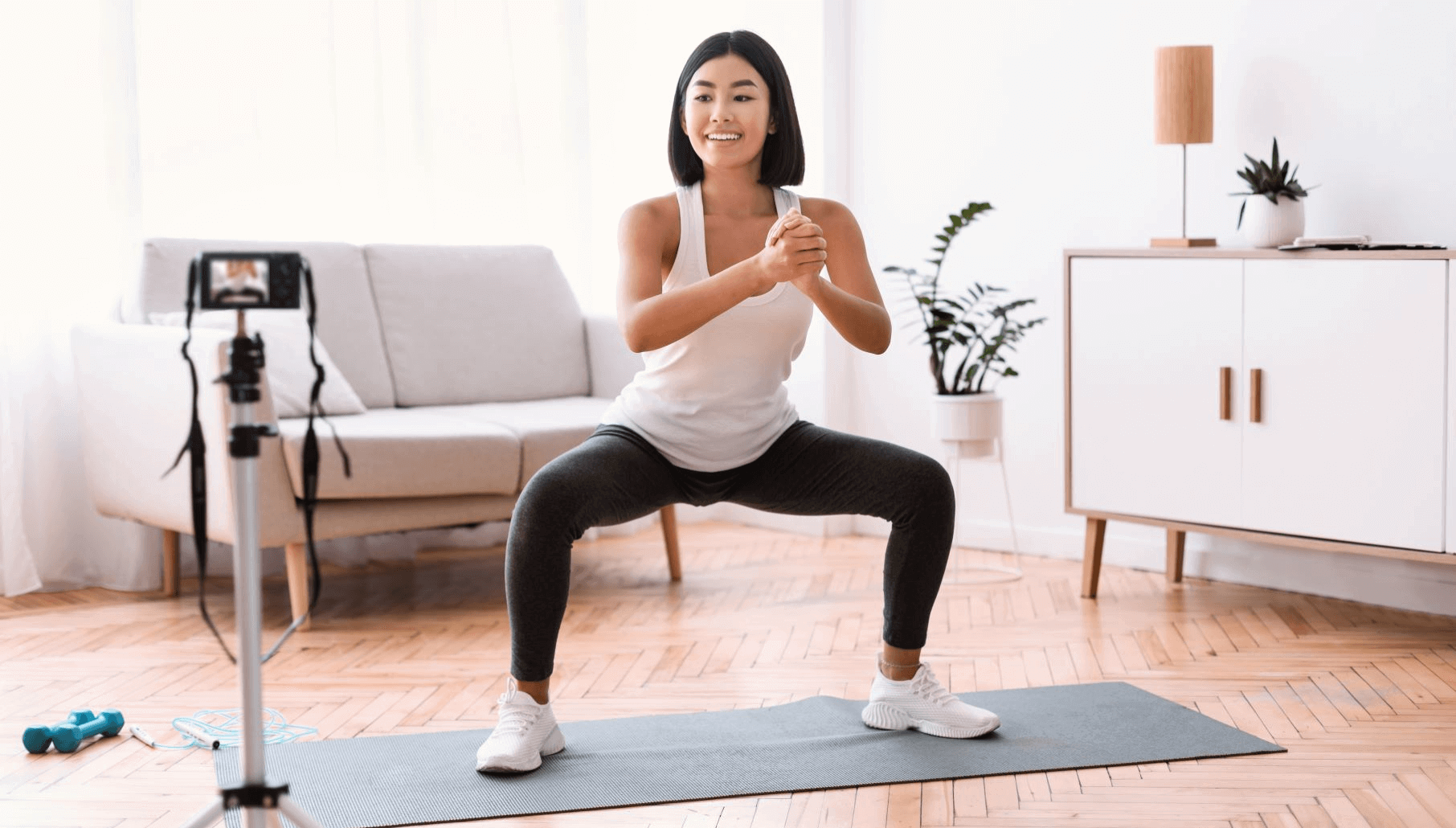
Image Source: www.uscreen.tv
Setting Up Your Space for Success
Your environment plays a huge role in the quality of your online workout classes. A clear, well-lit, and distraction-free space is crucial for both you and your participants. Think about how your space will look on camera and how it will feel to your audience.
Choosing the Right Location
- Minimize Distractions: Find a quiet spot where you won’t be interrupted by pets, family members, or household noises.
- Adequate Lighting: Natural light is best. Position yourself facing a window. If that’s not possible, use good artificial lighting. Avoid having lights behind you, as this will make you appear as a silhouette.
- Clear Background: Keep your background tidy and professional. Avoid cluttered spaces. A plain wall or a simple, aesthetically pleasing backdrop works well. Consider adding a small plant or your studio logo for branding.
- Sufficient Space: Ensure you have enough room to move freely and demonstrate exercises without bumping into furniture.
Essential Equipment for Quality Streaming
Investing in the right equipment will elevate your streaming exercise experience and make your virtual coaching stand out.
Camera Essentials
- Smartphone or Webcam: Modern smartphones offer excellent camera quality, often surpassing built-in laptop webcams. A dedicated webcam can also be a good, affordable option.
- Tripod or Mount: A stable camera is non-negotiable. A tripod ensures your camera stays put and provides a consistent angle. Look for one that can hold your phone securely.
- Secondary Camera (Optional): For advanced setups, a second camera can show different angles, offering a more dynamic experience for online group fitness.
Audio Quality
- External Microphone: The built-in microphone on your phone or laptop might not be clear enough. A lavalier (clip-on) microphone or a USB microphone will significantly improve your audio clarity, ensuring your instructions are easy to hear during remote exercise sessions.
- Quiet Environment: Even with a good microphone, a noisy room will degrade audio quality.
Lighting Solutions
- Ring Light: A ring light is a popular choice for creating soft, even lighting that eliminates shadows and makes you look your best on camera.
- Softbox Lights: For more professional setups, softbox lights provide diffused, flattering light.
- Natural Light: As mentioned, facing a window is ideal.
Stable Internet Connection
- Wired Connection (Ethernet): This is the most reliable option. If possible, connect your device directly to your router using an Ethernet cable.
- Strong Wi-Fi Signal: If Wi-Fi is your only option, ensure you have a strong signal in your streaming space. Consider a Wi-Fi extender if needed.
- Test Your Speed: Use online speed tests to check your upload and download speeds. You’ll need a good upload speed to stream smoothly.
Choosing the Right Platform for Your Virtual Fitness Classes
The platform you choose will be the venue for your broadcast workouts. Each has its pros and cons, so consider your needs and your audience.
Popular Streaming Platforms
-
Zoom:
- Pros: Widely used, familiar to many, offers features like screen sharing, participant muting, and breakout rooms. Good for live personal training and smaller group classes.
- Cons: Free version has time limits for group meetings.
-
Facebook Live:
- Pros: Easy to use if you already have a Facebook presence. Can reach a large audience through your existing network and groups.
- Cons: Less control over the streaming environment, ads can appear, and audience interaction is within the Facebook ecosystem.
-
Instagram Live:
- Pros: Great for visually engaging content and reaching a younger demographic. Easy to start if you have an Instagram business profile.
- Cons: Limited interaction features compared to Zoom, shorter stream durations, and primarily mobile-focused.
-
YouTube Live:
- Pros: Offers a professional look, excellent for building a content library, and can reach a broad audience. Good for digital yoga or larger online group fitness sessions.
- Cons: Requires a verified YouTube account and can have a steeper learning curve.
-
Dedicated Fitness Platforms (e.g., Glo, Peloton App, Xplor):
- Pros: Built specifically for fitness, offering robust features for class scheduling, payments, community building, and analytics.
- Cons: Can be more expensive and require a commitment to a specific ecosystem.
Key Platform Features to Consider
- Audience Size: How many participants do you expect?
- Interaction Tools: Do you need chat, Q&A, or reaction features?
- Monetization Options: Can you easily charge for classes or subscriptions?
- Recording Capabilities: Do you want to record sessions to offer on-demand content?
- Ease of Use: How user-friendly is the platform for both you and your participants?
Structuring Your Live Stream Fitness Classes
A well-structured class keeps participants engaged and ensures a positive experience. Think about the flow of your streaming exercise and how you’ll guide your audience.
Pre-Class Preparation
- Test Your Tech: Always do a dry run before going live. Check your camera, audio, lighting, and internet connection.
- Set the Mood: Have your music ready and adjust your lighting.
- Prepare Your Space: Ensure your background is clear and inviting.
- Have Water and Towel: Essential for any workout!
- Inform Participants: Send out clear instructions on how to join, what equipment they might need, and any pre-class recommendations.
Class Flow
-
Welcome and Warm-Up (5-10 minutes):
- Greet participants as they join.
- Briefly introduce yourself and the class.
- Engage with early arrivals in the chat.
- Start with a gentle warm-up to prepare the body for exercise. Explain the purpose of each movement.
-
Main Workout (30-45 minutes):
- Clearly explain each exercise. Demonstrate proper form from multiple angles if possible.
- Offer modifications for different fitness levels. This is crucial for virtual coaching to cater to everyone.
- Provide verbal cues and encouragement throughout.
- Maintain energy and a positive attitude.
- Keep an eye on the chat for questions or feedback, if feasible.
-
Cool-Down and Stretching (5-10 minutes):
- Lead participants through a cool-down to gradually lower the heart rate.
- Include static stretches to improve flexibility and aid recovery.
- Provide tips for post-workout care.
-
Q&A and Wrap-Up (5 minutes):
- Open the floor for questions.
- Announce your next class or any special offers.
- Thank participants for joining your online workout classes.
Engaging Your Audience and Building Community
Live streaming is more than just demonstrating exercises; it’s about creating a connection. Building a community around your virtual fitness offering will lead to greater retention and satisfaction.
Interaction Strategies
- Use Names: Address participants by name when they comment or ask questions.
- Ask Questions: Encourage participation by asking questions related to the workout or their progress.
- Respond to Comments: Acknowledge and respond to comments in the chat.
- Polls and Quizzes: If your platform allows, use polls or quizzes to gauge engagement or preferences.
- Visual Cues: Use hand signals or visual cues to communicate during fast-paced segments where verbal cues might be missed.
Fostering a Sense of Community
- Create a Private Group: A dedicated Facebook group or community forum for your online group fitness participants can foster interaction outside of live sessions.
- Encourage Sharing: Ask participants to share their progress or photos from their workouts.
- Host Challenges: Run weekly or monthly fitness challenges to keep motivation high.
- Offer Support: Be available to answer questions and provide support between classes. This is key for live personal training.
Promoting Your Live Stream Fitness Classes
Getting people to attend your broadcast workouts requires effective promotion.
Marketing Channels
- Social Media:
- Instagram: Use Stories to announce classes, run countdowns, and share behind-the-scenes content. Post in-feed announcements with clear call-to-actions.
- Facebook: Create events for your classes, share in relevant groups, and use your business page.
- TikTok: Short, engaging clips demonstrating exercises or highlighting class benefits can attract new audiences.
- Email Marketing:
- Build an email list and send out regular newsletters announcing your schedule and special offers.
- Website/Blog:
- Feature your live class schedule prominently on your website. Write blog posts about the benefits of virtual fitness.
- Partnerships:
- Collaborate with other fitness professionals or complementary businesses.
Crafting Your Message
- Highlight Benefits: Clearly state what participants will gain from your classes (e.g., improved strength, stress relief, flexibility).
- Showcase Your Personality: Let your unique style and energy shine through. People connect with people.
- Clear Call to Action: Make it obvious how to sign up or join.
- Use High-Quality Visuals: Share appealing photos or short videos of your classes or yourself.
Monetizing Your Virtual Fitness Offering
There are several ways to generate revenue from your remote fitness instruction.
Pricing Models
- Pay-Per-Class: Participants pay a fee for each individual online workout class they attend.
- Class Packages/Bundles: Offer discounts for purchasing multiple classes at once.
- Monthly/Annual Subscriptions: Provide unlimited access to all live classes, and potentially on-demand content, for a recurring fee. This is great for building a loyal base for virtual coaching.
- Tiered Memberships: Offer different levels of access or additional benefits (e.g., personalized feedback, exclusive Q&A sessions) at varying price points.
- Freemium Model: Offer some classes for free to attract new clients, then upsell to paid options.
Payment Processing
- Integrated Platform Tools: Many streaming platforms have built-in payment processing.
- Third-Party Payment Processors: Services like Stripe, PayPal, or Square can be integrated into your website or used directly.
- Class Booking Software: Many fitness-specific booking systems (e.g., Mindbody, Acuity Scheduling) integrate with streaming and payment solutions.
Best Practices for Digital Yoga and Other Disciplines
While the core principles apply across the board, some disciplines benefit from specific considerations.
For Digital Yoga
- Clear Demonstration: Your mat space needs to be visible from head to toe. Ensure your camera is positioned low enough.
- Audio Focus: Yoga often relies on breath and subtle cues. Crystal-clear audio is paramount.
- Props: Advise participants on any props they might need (blocks, strap, blanket) and demonstrate their use.
- Calming Atmosphere: Use soft lighting and calming music.
- Verbal Guidance: Guide participants through poses with precise and descriptive language.
For High-Intensity Interval Training (HIIT) or Cardio
- Energetic Music: Upbeat music is essential for motivating participants.
- Clear Demonstrations: As exercises can be fast, demonstrate them clearly and offer simplified versions.
- Pacing: Keep the energy high, but ensure participants have enough recovery time.
- Hydration Reminders: Emphasize the importance of staying hydrated.
For Live Personal Training
- Individualized Attention: This is your opportunity to offer personalized feedback.
- Observation: You need to be able to clearly see your client’s form. Discuss preferred camera angles with them.
- Adaptability: Be ready to modify exercises on the fly based on your client’s feedback and observed performance.
- Goal Setting: Use sessions to track progress and adjust training plans.
Overcoming Common Challenges in Streaming Exercise
Even with careful planning, you might encounter hiccups. Knowing how to handle them is key.
Technical Glitches
- Connectivity Issues: If your internet drops, stay calm. Try switching to a mobile hotspot temporarily if possible. Inform your participants immediately via another channel (like a group chat). Have a pre-recorded backup ready if possible.
- Audio/Video Problems: Troubleshoot common issues (muted mic, wrong camera selected). Have a checklist of things to test before each session.
Participant Engagement Lulls
- Vary Your Content: Keep classes fresh by introducing new exercises or themes.
- Check-Ins: Regularly ask participants how they’re feeling or if they have questions.
- Enthusiasm is Contagious: Your energy level directly impacts your participants.
Maintaining Form Remotely
- Detailed Instructions: Break down complex movements into simpler steps.
- Multiple Angles: Demonstrate exercises from the front, side, and even back if space allows.
- Verbal Cues: Use directional language (e.g., “pull your belly button in,” “keep your chest lifted”).
- Encourage Self-Correction: Prompt participants to check their own form (“Is your back flat? Are your knees over your ankles?”).
Future-Proofing Your Virtual Fitness Business
The landscape of virtual fitness is constantly evolving. Staying ahead means adapting and innovating.
Expanding Your Offerings
- On-Demand Content: Record your live classes and offer them as a library for subscribers. This provides flexibility for your clients and another revenue stream for you.
- Specialty Workshops: Host workshops on specific topics like injury prevention, nutrition, or advanced techniques.
- Hybrid Models: Offer a mix of in-person and online workout classes to cater to all preferences.
- Corporate Wellness Programs: Partner with businesses to offer remote fitness instruction to their employees.
Staying Updated
- Industry Trends: Follow fitness influencers, read industry publications, and attend virtual conferences to stay informed about new trends and technologies.
- Participant Feedback: Continuously solicit feedback from your clients to improve your classes and offerings.
Frequently Asked Questions (FAQ)
Q1: What is the best internet speed for live streaming fitness classes?
A1: For smooth HD streaming, aim for an upload speed of at least 5 Mbps. More is always better, especially if you have multiple devices using your internet simultaneously.
Q2: Can I make money from live streaming fitness classes?
A2: Yes, absolutely! Many fitness professionals successfully monetize their virtual fitness offerings through subscriptions, pay-per-class models, and other revenue streams.
Q3: How can I ensure my participants are doing the exercises correctly if I can’t see them clearly?
A3: Provide very clear verbal cues, demonstrate from multiple angles, offer modifications, and encourage participants to self-monitor their form. You can also ask them to check in via chat if they’re unsure about a particular movement.
Q4: Do I need special software for live streaming?
A4: While many platforms like Zoom, Facebook Live, and YouTube Live are accessible without extra software, dedicated streaming software (like OBS Studio) can offer more advanced features for professional broadcasts.
Q5: How do I handle payments for my classes?
A5: You can use integrated payment systems on platforms like Zoom, or external services like Stripe, PayPal, or specialized booking software that handles payments.
Q6: What’s the difference between live streaming and pre-recorded workouts?
A6: Live streaming offers real-time interaction and a sense of immediacy. Pre-recorded workouts offer convenience and flexibility for participants who can’t attend live sessions. Many businesses offer a combination of both.
Q7: How do I promote my virtual fitness classes effectively?
A7: Utilize social media, email marketing, your website, and consider partnerships. Highlight the benefits, use engaging visuals, and make your call to action clear.
By following these expert tips and tricks, you can confidently launch and grow a successful virtual fitness business, bringing your passion for movement to a wider audience through engaging online workout classes, effective streaming exercise, expert remote fitness instruction, inspiring digital yoga, personalized live personal training, dynamic broadcast workouts, vibrant online group fitness, and supportive virtual coaching, all while providing excellent remote exercise sessions.