
Can you use MyFitnessPal to lose weight? Absolutely! MyFitnessPal is a powerful tool that can significantly aid your weight loss journey. It helps you by making it easier to log your meals, track your calories, and monitor your exercise. This guide will show you how to harness the full potential of the MyFitnessPal app for successful weight loss.
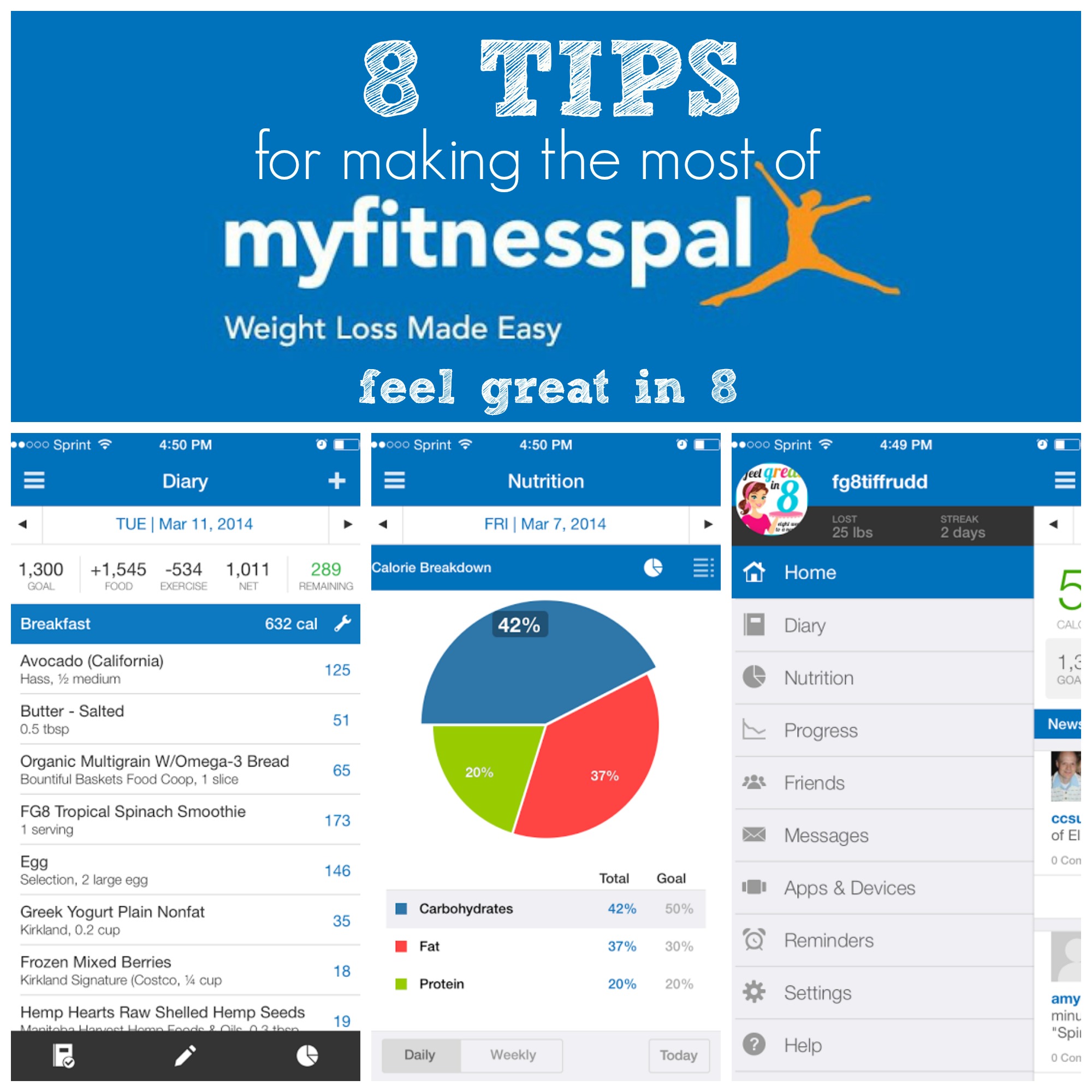
Image Source: blog.feelgreatin8.com
Getting Started with MyFitnessPal
Creating Your Account and Setting Goals
First things first: download the MyFitnessPal app or visit their website. You’ll need to create an account. During setup, MyFitnessPal will ask for some basic information:
- Personal Details: Your age, gender, height, and current weight.
- Activity Level: Be honest about how active you are. This helps the app estimate your calorie needs.
- Weight Loss Goal: What weight do you want to reach?
- Weekly Goal: How quickly do you want to lose weight? Losing 1-2 pounds per week is generally considered healthy and sustainable.
Based on this information, MyFitnessPal will calculate your daily calorie goal. This is the number of calories you should aim to consume to achieve your weight loss target.
Navigating the MyFitnessPal Interface
Once your account is set up, you’ll see the main dashboard. This is your central hub. Key sections include:
- Home: A quick overview of your daily progress.
- Diary: Where you’ll spend most of your time logging food and exercise.
- Recipes: For creating custom recipes.
- Fitness: To log your workouts.
- More: Access to settings, profile, and other features.
The diary is your most important tool for tracking calories.
Mastering the Art of Logging Meals
The heart of using MyFitnessPal effectively lies in accurately logging your meals. This process allows you to track your calorie intake and ensure you’re staying within your set limits.
The Power of the Barcode Scanner
MyFitnessPal’s barcode scanner is a lifesaver for packaged foods.
- Find the Barcode: Locate the barcode on your food item.
- Open the App: Go to your diary and tap “Add Food.”
- Scan: Select the barcode icon and hold your phone’s camera over the barcode.
- Verify and Log: MyFitnessPal will pull up the food item. Check that the serving size and details are correct, then log it.
This feature drastically speeds up the process of logging meals and reduces errors.
Utilizing the Extensive Food Database
When a barcode isn’t available, MyFitnessPal’s vast food database comes into play.
- Search: Type the name of the food into the search bar.
- Select: MyFitnessPal will provide a list of matching items. Look for the most accurate match, often indicated by a checkmark (meaning it’s verified by MyFitnessPal).
- Portion Control: Crucially, select the correct serving size and quantity. This is where many people make mistakes. Weighing or measuring your food is highly recommended for accuracy.
The food database includes everything from raw ingredients and restaurant meals to generic grocery items.
Logging Restaurant Meals and Generic Foods
- Restaurant Menus: Many popular restaurants have their menus pre-loaded. Search for the restaurant name, then the dish.
- Generic Foods: For things like fruits, vegetables, or home-cooked meals, search for the specific item (e.g., “apple,” “chicken breast,” “broccoli”).
- Custom Foods: If you can’t find an item, you can create a custom food entry. You’ll need to know the nutritional information for that item.
Tip: Be as specific as possible when logging. “Chicken breast, grilled” is better than “chicken.”
Dealing with Common Logging Challenges
- Cooking with Oils and Fats: Don’t forget to log the oil you use for cooking! A tablespoon of olive oil can add over 100 calories.
- Sauces and Condiments: These often contain hidden calories and sugar. Log them!
- “Free” Foods: Foods like black coffee or plain tea without sugar are usually low in calories, but check the database to be sure.
- Mistakes Happen: If you realize you logged something incorrectly, go back to your diary and edit or delete the entry.
Accurate logging is the cornerstone of your weight loss journey.
Tracking Calories for Weight Loss
The core principle of weight loss is consuming fewer calories than your body burns, creating a calorie deficit. MyFitnessPal makes this process transparent and manageable.
What is a Calorie Deficit?
A calorie deficit means you are eating fewer calories than your body needs to maintain its current weight. When your body doesn’t get enough energy from food, it starts to use stored fat for fuel, leading to weight loss.
MyFitnessPal helps you achieve this by:
- Setting Your Target: It provides a daily calorie goal based on your weight loss objectives.
- Showing Your Progress: As you log your food, the app shows you how many calories you’ve consumed against your daily goal.
- Calculating Remaining Calories: It tells you how many calories you have left for the day.
Interpreting Your Daily Calorie Goal
Your daily calorie goal is not a rigid rule but a guideline. Life happens! Some days you might go slightly over, and some days you might be under. The key is consistency over time.
Example of a Daily Diary Entry:
| Meal | Food Item | Serving Size | Calories |
|---|---|---|---|
| Breakfast | Oatmeal, Rolled Oats (Dry) | 1/2 cup | 150 |
| Blueberries | 1 cup | 85 | |
| Almonds | 1/4 cup | 207 | |
| Lunch | Grilled Chicken Salad | 1 serving | 350 |
| Vinaigrette Dressing | 2 tbsp | 120 | |
| Dinner | Baked Salmon | 6 oz | 350 |
| Steamed Broccoli | 1 cup | 55 | |
| Quinoa | 1/2 cup | 110 | |
| Snacks | Greek Yogurt | 1 cup | 130 |
| Apple | 1 medium | 95 | |
| Total | 1652 |
If your daily calorie goal was 1800, this example day shows a deficit of 148 calories.
Understanding Calorie Adjustments
MyFitnessPal also adjusts your calorie goal based on your exercise. If you log a workout, the app will add back a portion of the calories you burned, giving you more flexibility. This is a great motivator!
Beyond Calories: Macro Tracking for Health
While tracking calories is essential for a calorie deficit, focusing on macronutrients (macros) can improve your overall health and satiety during your weight loss journey.
What are Macronutrients?
Macronutrients are the nutrients your body needs in large amounts:
- Protein: Crucial for muscle repair and growth, and helps you feel full.
- Carbohydrates: Your body’s primary source of energy.
- Fats: Essential for hormone production and nutrient absorption.
Setting Up Macro Tracking
MyFitnessPal allows you to set macro goals as a percentage of your total daily calories or in grams.
- Go to “More”
- Tap “Goals”
- Select “Nutritional Goals”
- Adjust Macro Percentages: You can set targets for protein, carbohydrates, and fats.
Common Macro Splits for Weight Loss:
- Balanced: 40% Carbs, 30% Protein, 30% Fat
- Higher Protein: 30% Carbs, 40% Protein, 30% Fat (often good for satiety and muscle preservation)
- Lower Carb: 20% Carbs, 35% Protein, 45% Fat
Experiment to find what works best for your body and lifestyle.
Interpreting Your Macro Breakdown
As you log your meals, MyFitnessPal shows you how your intake stacks up against your macro goals. This helps you make informed food choices.
- Too Low in Protein? Add more lean meats, fish, eggs, dairy, or plant-based protein sources.
- Too High in Carbs? Opt for more complex carbs like whole grains and vegetables instead of simple sugars.
- Too High in Fat? Reduce intake of fried foods, processed snacks, and excessive oils.
Macro tracking can lead to a more balanced diet and better results.
Integrating Exercise Logging
Exercise is a vital component of any weight loss plan. It burns calories, builds muscle, and improves overall health. MyFitnessPal makes it easy to log your physical activity.
Why Exercise Logging Matters
- Calorie Burn Estimation: MyFitnessPal uses your logged exercise to estimate calories burned.
- Calorie Adjustment: These burned calories are often added back to your daily allowance, giving you a more realistic calorie goal for the day.
- Motivation: Seeing your activity logged can be a powerful motivator.
Logging Different Types of Exercise
MyFitnessPal has a vast database of exercises, from running and weightlifting to yoga and dancing.
- Go to Diary: Tap “Add Exercise.”
- Search or Browse: Find your activity.
- Enter Details: Input the duration and intensity (if applicable). For cardio, often the duration is sufficient. For strength training, you might log sets, reps, and weight.
- Log: Add it to your diary.
MyFitnessPal also integrates with many fitness trackers and smartwatches (like Fitbit, Apple Watch, Garmin), automatically syncing your workouts. This makes exercise logging seamless.
Understanding Exercise Calorie Burn
It’s important to remember that the calorie burn estimates from MyFitnessPal or fitness trackers are just that – estimates. Factors like your individual metabolism, the exact intensity of the exercise, and the specific equipment used can influence the actual calories burned.
- Be Honest: Don’t overestimate the calories you burned.
- Focus on Consistency: The more consistently you exercise and log it, the more accurate your overall calorie balance will be.
Monitoring Water Intake
Hydration is often overlooked in weight loss but is incredibly important. Staying hydrated can help with metabolism, satiety, and overall bodily functions.
Why Water is Key for Weight Loss
- Boosts Metabolism: Some studies suggest drinking water can temporarily increase your metabolic rate.
- Increases Fullness: Drinking water before meals can help you feel fuller, potentially leading to consuming fewer calories.
- Aids Digestion: Water is essential for proper digestion and nutrient absorption.
- Reduces Liquid Calories: Often, we mistake thirst for hunger. Reaching for water instead of sugary drinks can save significant calories.
How to Track Water in MyFitnessPal
MyFitnessPal has a dedicated section for tracking your water intake:
- Go to Diary: Scroll down or look for the “Water” section.
- Add Water: Tap to log glasses or bottles of water. You can customize the serving size.
- Set a Goal: MyFitnessPal will suggest a daily water goal, but you can adjust this.
Tips for Staying Hydrated:
- Carry a Water Bottle: Keep water with you throughout the day.
- Set Reminders: Use your phone to remind yourself to drink.
- Flavor Your Water: Add fruits like lemon, lime, or cucumber for a refreshing twist without added calories.
Tracking your water intake alongside your food and exercise provides a complete picture of your health habits.
Advanced Features and Tips for Success
Once you’ve got the basics down, explore these advanced features and tips to maximize your success.
Creating and Using Recipes
If you cook at home frequently, creating custom recipes in MyFitnessPal is a game-changer.
- Go to “More”
- Tap “Recipes & Meals”
- Select “Create a Recipe”
- Add Ingredients: Enter each ingredient and its quantity as you would when logging.
- Specify Servings: Tell MyFitnessPal how many servings the recipe yields.
- Save: MyFitnessPal will calculate the nutritional information per serving.
Now, whenever you make that recipe, you can simply select it from your “My Recipes” list and log the number of servings you ate. This is far more accurate than trying to log each ingredient individually each time.
Utilizing the “Meals” Feature
You can group frequently eaten foods into “Meals.” For example, your typical breakfast might be “My Usual Breakfast.” When you log this meal, all the components are added at once.
- Log Your Meal Components: Add your breakfast items one by one.
- Save the Meal: Once logged, find the “Save Meal” option at the bottom of the diary entry.
- Name Your Meal: Give it a descriptive name (e.g., “Monday Breakfast”).
The next day, you can simply select “My Usual Breakfast” from your saved meals, saving you time and ensuring consistency.
Leveraging Premium Features (MyFitnessPal Premium)
While the free version of MyFitnessPal is excellent, the premium subscription offers several advantages for those serious about their weight loss journey:
- Nutrient Tracking: See detailed breakdowns of micronutrients (vitamins and minerals), not just macros.
- Ad-Free Experience: A cleaner interface without advertisements.
- Customizable Macro Goals: More flexibility in setting macro targets.
- Meal Planning: Tools to help plan your meals in advance.
- Priority Support: Faster customer service.
Consider premium if you find the free version limiting or want to dive deeper into your nutritional habits.
Consistency is Key for Your Weight Loss Journey
The most important factor for success with MyFitnessPal, or any weight loss program, is consistency.
- Log Every Day: Even on days you go over your calorie goal, log everything. This helps you learn from your choices.
- Be Honest: Don’t “guesstimate” or skip logging. Accuracy is paramount.
- Don’t Aim for Perfection: Weight loss isn’t linear. There will be ups and downs. Focus on the overall trend.
- Listen to Your Body: MyFitnessPal is a tool, not a dictator. Pay attention to hunger cues and how different foods make you feel.
- Adjust as Needed: If you’re not seeing results or are consistently too hungry, your calorie or macro goals might need adjustment. Consult with a healthcare professional or registered dietitian if needed.
Using MyFitnessPal consistently helps you build awareness of your eating habits and empowers you to make better choices, guiding you effectively on your weight loss journey.
Frequently Asked Questions (FAQ)
Q1: Do I need to weigh my food to use MyFitnessPal accurately?
A1: While not strictly mandatory, weighing your food, especially for calorie-dense items or when you’re starting, greatly increases accuracy. Visual estimation can be misleading, and using measuring cups or spoons is better than guessing.
Q2: What if the food I ate isn’t in the MyFitnessPal database?
A2: You can add custom foods or recipes manually. Find the nutritional information on the product packaging, or if it’s a home-cooked meal, calculate it based on the ingredients used.
Q3: Can MyFitnessPal help me lose weight if I have specific dietary needs (e.g., vegetarian, vegan, gluten-free)?
A3: Yes! MyFitnessPal has a vast database that includes options for various dietary preferences. You can search for specific vegetarian or vegan items, and the macro and nutrient tracking features allow you to ensure you’re meeting your dietary requirements.
Q4: How often should I update my weight in MyFitnessPal?
A4: It’s best to update your weight about once a week, preferably on the same day and at the same time (e.g., first thing in the morning after using the restroom and before eating or drinking). This provides a consistent benchmark for tracking your progress.
Q5: Will MyFitnessPal tell me exactly what to eat?
A5: MyFitnessPal is a tracking tool, not a meal plan generator (though premium offers some meal planning features). It tells you your calorie and macro targets, and you decide what foods to eat to meet those goals. This approach promotes learning and sustainable healthy eating habits.
By diligently using the MyFitnessPal app to log meals, track calories, and monitor your exercise, you’re setting yourself up for success on your weight loss journey. It’s a powerful ally in achieving your health and fitness goals.