
Can you make money from live streaming fitness classes? Yes, you absolutely can! Many fitness professionals and studios have found success in offering virtual fitness classes, online workout sessions, and streaming exercise programs. Building a thriving business around broadcast fitness is achievable with the right strategy and execution. This comprehensive guide will walk you through the essential steps to create engaging and profitable live video workouts.
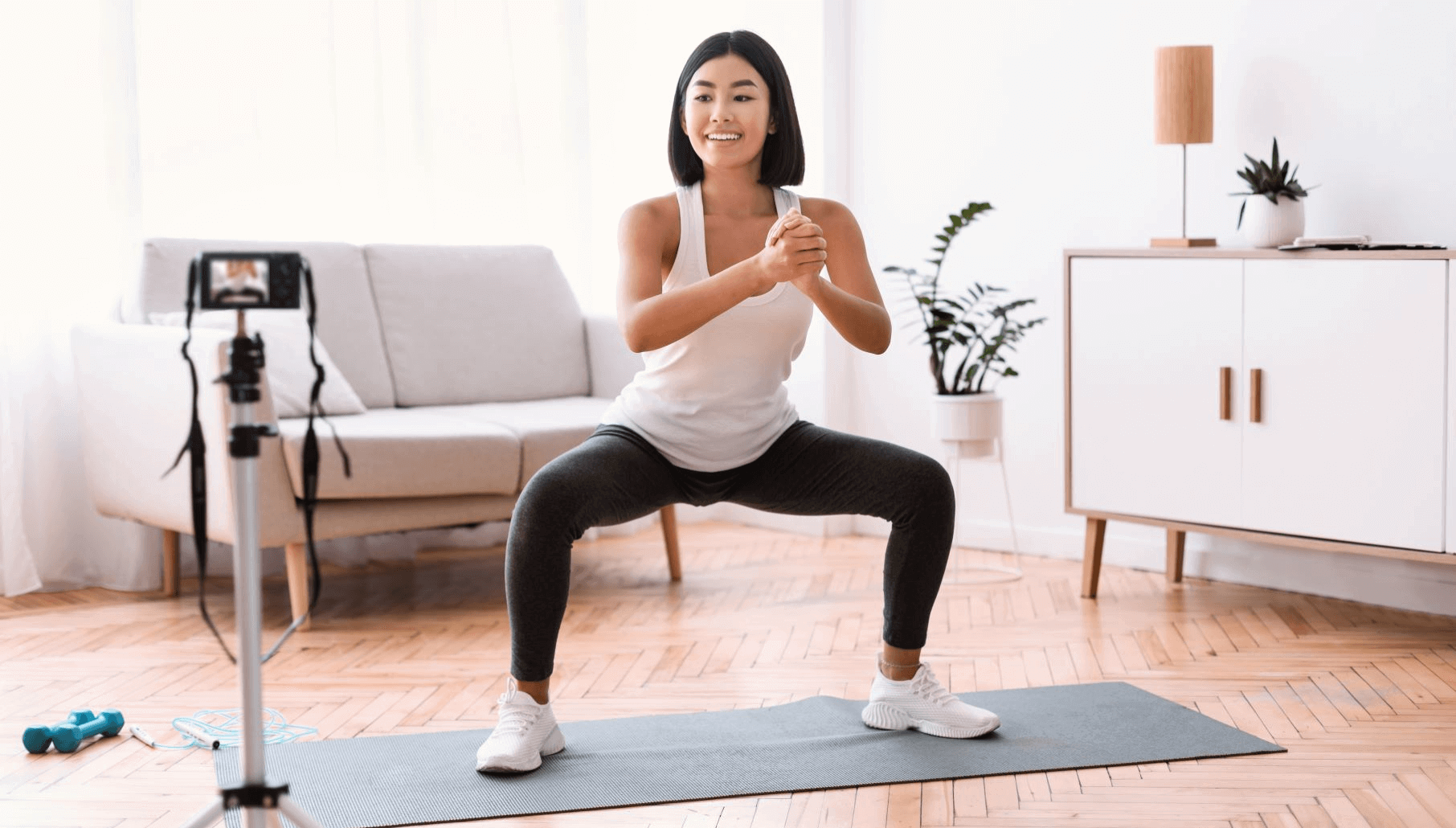
Image Source: www.uscreen.tv
Laying the Foundation: Planning Your Virtual Fitness Offering
Before you even think about hitting the “go live” button, thorough planning is crucial. This phase sets the stage for the entire success of your at-home fitness streaming. What kind of classes will you offer? Who is your target audience? What is your unique selling proposition?
Defining Your Niche and Audience
Identifying your specific area of expertise is key. Are you a yoga instructor, a HIIT coach, a Pilates expert, or do you specialize in something else? Knowing your niche helps you attract the right clients. Consider:
- Fitness Style: Yoga, strength training, cardio, dance fitness, kickboxing, stretching, meditation.
- Target Demographic: Beginners, advanced athletes, seniors, pregnant individuals, people with specific health conditions.
- Class Structure: Short, high-intensity bursts, longer endurance sessions, recovery classes, educational workshops.
Once you have your niche, define your ideal client. This helps tailor your class content, marketing, and pricing.
Setting Your Business Goals
What do you want to achieve with your live stream fitness classes?
- Revenue Targets: How much income do you aim to generate?
- Client Numbers: How many participants do you want to attract per class or per month?
- Brand Building: Do you want to establish yourself as a leader in your fitness niche?
- Community Growth: Are you focused on building a supportive online community?
Crafting Your Class Schedule and Content
- Variety is Key: Offer different class types and times to cater to various schedules and preferences.
- Session Length: Typical classes range from 30 to 60 minutes, but shorter express sessions can also be popular.
- Content Planning: Outline each class, including warm-up, main workout, cool-down, and any specific instructions or modifications.
- Progression: For recurring classes, plan how you’ll build upon previous sessions to keep participants engaged and challenged.
Pricing Your Classes
Consider different pricing models:
- Pay-Per-Class: A fixed fee for each individual session.
- Class Packages: Discounts for purchasing multiple classes in advance.
- Membership Subscriptions: Recurring monthly or annual fees for unlimited access to live classes and potentially on-demand content.
- Tiered Memberships: Offering different levels of access and perks.
Research what competitors are charging, but also factor in your expertise, the quality of your offering, and your target audience’s budget.
Technical Setup: The Backbone of Your Virtual Studio
A smooth technical experience is vital for interactive fitness. Even the best instructors can be undermined by poor audio or video quality.
Choosing Your Streaming Platform
Several platforms can host your streaming exercise programs:
- Zoom: Popular for its ease of use, breakout rooms, and interactive features like polls and Q&A. It’s excellent for smaller, more interactive fitness sessions where direct feedback is important.
- YouTube Live: Offers broad reach and is free to use. It’s great for larger audiences and for building a public presence.
- Facebook Live: Leverages your existing social media network, making it easy to promote classes to your followers.
- Specialized Fitness Platforms: Many platforms are designed specifically for virtual fitness classes, offering features like payment processing, scheduling, and client management integrated directly. Examples include Trainerize, My PT Hub, and Uscreen.
Essential Equipment
- Camera:
- Webcam: A high-quality external webcam (e.g., Logitech C920 or better) is a good starting point.
- Smartphone: Modern smartphones have excellent cameras and can be a cost-effective option. Use a tripod to keep it steady.
- DSLR/Mirrorless Camera: For professional-grade video, these offer superior image quality and control. You’ll likely need an HDMI capture card to connect them to your computer.
- Microphone:
- Built-in Mic: Often inadequate for clear audio.
- Lavalier Microphone (Lapel Mic): Clips onto your clothing and provides clear audio directly from your voice. Wireless options offer more freedom of movement.
- USB Microphone: Sits on your desk and offers good audio quality for spoken instructions.
- Lighting:
- Natural Light: Position yourself facing a window.
- Ring Light: Provides even, flattering light and is essential for consistent illumination.
- Softbox Lights: Offer softer, more diffused lighting for a professional look.
- Internet Connection:
- Wired Ethernet Connection: This is strongly recommended over Wi-Fi for stability and speed.
- Sufficient Upload Speed: Aim for at least 5-10 Mbps upload speed for a smooth HD stream. Test your speed using a service like Speedtest.net.
- Tripod/Mount: Essential for keeping your camera stable and at the right angle.
- Computer: A reasonably powerful computer capable of running your streaming software and handling video encoding.
Setting Up Your Space
Your workout environment should be clean, uncluttered, and visually appealing.
- Background: A clean wall, a branded backdrop, or an inspiring space works well. Avoid busy or distracting backgrounds.
- Footprint: Ensure you have enough space to demonstrate exercises clearly without bumping into anything.
- Sound: Minimize background noise (applause, traffic, pets). Inform household members of your class times.
Creating Engaging Content: Keeping Your Virtual Clients Motivated
Delivering exceptional online workout sessions requires more than just showing up. Engagement is key to retention.
Pre-Class Preparation
- Test Your Tech: Always do a quick sound and video check before going live.
- Prepare Your Playlist: Have upbeat, motivating music ready. Consider using royalty-free music or subscribing to a music service that allows commercial use.
- Clear Instructions: Have your class plan, including modifications and cues, readily available.
- Warm-up and Cool-down: Dedicate specific time to these crucial phases of the workout.
During the Class: Your Role as a Virtual Instructor
Your presence and communication are paramount for digital group exercise.
- Energy and Enthusiasm: Project your personality and passion for fitness.
- Clear Cues: Give precise instructions on form, timing, and breathing.
- Visual Demonstration: Ensure participants can see your entire body for key movements. Demonstrate from different angles if necessary.
- Modifications: Offer variations for different fitness levels and any physical limitations. This is where remote personal training principles shine.
- Interaction:
- Greeting Participants: Welcome them by name if possible.
- Check-ins: Ask how they are feeling or if they have any questions during breaks.
- Q&A: Dedicate time at the end for questions.
- Encouragement: Offer positive reinforcement throughout the session.
- Pacing: Maintain a good pace that allows participants to keep up while still being challenged.
- Camera Awareness: Look into the camera as much as possible to create a connection.
Post-Class Follow-Up
- Thank Participants: Express gratitude for their attendance.
- Answer Questions: Address any lingering questions from the live session.
- Provide Resources: Share links to on-demand content, nutritional tips, or your next class schedule.
- Request Feedback: Ask for their thoughts on the class to help you improve.
Marketing Your Live Stream Fitness Classes
Reaching your audience effectively is crucial for filling your virtual fitness classes.
Building Your Online Presence
- Website: A professional website is your central hub. Include your class schedule, pricing, instructor bio, and testimonials.
- Social Media:
- Instagram: Ideal for sharing workout clips, behind-the-scenes content, and engaging with your community through Stories and Reels.
- Facebook: Create a business page and join relevant groups to promote your classes.
- TikTok: Use short, engaging videos to showcase your teaching style and attract new clients.
- Email List: Collect email addresses from interested individuals and send out newsletters with class updates, promotions, and valuable fitness content.
Promoting Your Classes
- Early Bird Discounts: Offer reduced prices for booking in advance.
- Referral Programs: Incentivize current clients to bring in new ones.
- Partnerships: Collaborate with other fitness professionals, wellness brands, or local businesses.
- Content Marketing: Share valuable fitness tips, workout routines, and healthy recipes to establish yourself as an expert. This is a form of online fitness coaching that builds trust.
- Paid Advertising: Consider targeted ads on social media platforms to reach a wider audience.
- Free Trial Classes: Offer a complimentary session to new clients to experience your streaming exercise programs.
Building a Community Around Your Classes
- Private Online Groups: Create a Facebook group or Slack channel for your participants to connect, share progress, and support each other.
- Challenges and Events: Organize online fitness challenges or virtual social gatherings.
- Personalized Engagement: Respond to comments and messages promptly. Remember names and acknowledge individual progress. This elevates your remote personal training experience.
Monetization Strategies for Live Stream Fitness
Beyond individual class fees, explore various ways to earn revenue.
Subscription Models
- All-Access Pass: Grant unlimited access to all live classes for a recurring fee.
- Tiered Subscriptions: Offer different levels of access (e.g., basic access to live classes, premium access with on-demand library and exclusive content).
Packages and Bundles
- Class Bundles: Sell packages of 5, 10, or 20 classes at a discounted rate.
- Themed Packages: Offer bundles focused on specific goals, like a “6-Week Strength Building Program” or a “Beginner Yoga Series.”
Additional Revenue Streams
- On-Demand Content: Record your live sessions and offer them as a library for subscribers or for individual purchase.
- Personalized Coaching: Offer one-on-one online fitness coaching sessions for personalized guidance and program design.
- Merchandise: Sell branded apparel or fitness accessories.
- Workshops and Special Events: Host premium workshops on specific fitness topics or guest instructor sessions.
- Corporate Wellness Programs: Offer digital group exercise packages to companies looking to support their employees’ well-being.
Maintaining and Growing Your Live Stream Fitness Business
The journey doesn’t end after launching your classes. Continuous improvement and adaptation are key.
Gathering and Acting on Feedback
- Surveys: Send out post-class or monthly surveys to gather detailed feedback.
- Direct Communication: Encourage participants to share their thoughts directly.
- Analyze Metrics: Track attendance, retention rates, and revenue to identify trends.
Staying Up-to-Date
- Fitness Trends: Keep abreast of the latest fitness research and popular workout styles.
- Technology: Explore new streaming features, software updates, and equipment that can enhance your offering.
Expanding Your Offerings
- New Class Types: Introduce variety based on participant demand and your evolving expertise.
- Cross-Training: Partner with other instructors for joint classes or workshops.
- Hybrid Models: If feasible, consider a blend of online and in-person offerings.
Legal and Administrative Considerations
- Business Registration: Register your business name and obtain any necessary licenses or permits.
- Insurance: Secure liability insurance to protect yourself against potential claims.
- Terms and Conditions: Create clear terms of service for your clients.
- Music Licensing: Ensure you have the proper licenses to play music during your classes.
Key Success Factors for Live Stream Fitness
| Factor | Description | Impact on Success |
|---|---|---|
| Instructor Presence | Your energy, clarity, and ability to connect with participants virtually. | Builds rapport, motivates clients, and encourages repeat attendance. |
| Technical Quality | Clear audio, stable video, and a user-friendly streaming experience. | Enhances professionalism, reduces frustration, and improves overall engagement. |
| Content Variety | Offering a range of class types, intensities, and durations to cater to diverse needs. | Attracts a broader audience and keeps existing clients engaged. |
| Community Building | Fostering a sense of belonging and support among your virtual attendees. | Increases client loyalty, encourages referrals, and creates a positive brand image. |
| Marketing Strategy | Effective promotion and outreach to attract new clients and retain existing ones. | Drives attendance, builds brand awareness, and ensures business growth. |
| Pricing Structure | Competitive and fair pricing that reflects the value of your services. | Ensures profitability and client satisfaction. |
| Adaptability | Willingness to adjust your offerings based on feedback and evolving industry trends. | Maintains relevance, improves service quality, and fosters long-term sustainability. |
Frequently Asked Questions (FAQ)
Q1: What equipment is absolutely essential to start live streaming fitness classes?
You absolutely need a reliable internet connection, a device with a camera (smartphone or webcam), and good lighting. While a dedicated microphone is highly recommended for clear audio, you can start with your device’s built-in microphone and upgrade later.
Q2: How do I ensure my virtual fitness classes are interactive?
Encourage questions throughout the class (at appropriate times), use features like polls or chat functions, actively engage with participants by calling out names and offering personalized feedback, and create opportunities for social interaction before or after the session.
Q3: Can I use copyrighted music in my live stream fitness classes?
Generally, no. Using popular music without proper licensing can lead to copyright infringement. You should use royalty-free music services designed for commercial use or obtain explicit licenses for any copyrighted material you wish to play.
Q4: What’s the best platform for broadcasting fitness?
The “best” platform depends on your needs. Zoom is excellent for smaller, more interactive groups. YouTube Live and Facebook Live offer broader reach. Specialized fitness platforms offer integrated business tools. Consider your audience size, budget, and desired features when making your choice.
Q5: How do I handle modifications for clients with injuries or different fitness levels in a live stream setting?
During your warm-up, ask participants to let you know if they have any limitations. Throughout the class, offer clear verbal cues for easier and harder variations of exercises. You can also demonstrate these modifications visually. Encourage participants to listen to their bodies.
Q6: How can I build a strong community around my virtual fitness classes?
Create a dedicated private online group (e.g., Facebook), host virtual social events or challenges, actively engage with participants in the chat, and encourage peer-to-peer support. Making your clients feel seen and connected is paramount.
Q7: What should I do if my internet connection is unstable during a live class?
If possible, switch to a wired Ethernet connection instead of Wi-Fi. Close other applications on your computer that consume bandwidth. If you experience frequent issues, consider upgrading your internet plan or investing in a more stable connection setup. Have a backup plan, such as a pre-recorded class ready if your live connection fails completely.
By following these comprehensive steps, you can confidently create and grow a successful live stream fitness business, offering valuable virtual fitness classes and online workout sessions to clients wherever they are.